
Top Tips for Controlling Control-IQ+

Kevin Turner shares his best advice for successful blood sugar management and making life with type 1 diabetes easier.
As someone who has had type 1 diabetes for almost 50 years, I’m always experimenting with ways to gain more control over my diabetes and live my life to the fullest. Insulin, diet, exercise, stress management, and other factors that affect diabetes are all very important.
Technology is unquestionably one of the most important variables in the equation. This is where the recent release of Tandem’s Control-IQ+ algorithm and its activity feature comes in. Through experimentation, I’ve found that I can use this function to flatten rises and bring down high blood sugars safely and effectively. I will also share how to use the exercise feature to slow drops in blood sugar.
The analogy that I like to use is that the activity features of temp basal and exercise mode provide an advanced technique that you can use as an insulin accelerator and blood sugar brake – just like an automobile uses acceleration and braking to control speed.
With the release of Control-IQ+, I’ve been able to successfully apply new advanced techniques to leverage the algorithm to improve overall blood sugar management, achieve higher time in range, and lower GMI (glucose management indicator) or A1C levels. Using Tandem’s t:slim X2 with the Control-IQ+ algorithm along with my advanced techniques described here, my GMI has dropped 0.3% and my time in range has increased 2%.
I could have applied these techniques before Control-IQ+, but it would have required manually turning Control-IQ off and remembering to turn it back on or setting up and switching between multiple personal profiles, risking mistakes like forgetting to switch back in a timely manner. Control-IQ+ eliminates these manual hurdles and makes the techniques I’m about to suggest easy to apply.
Why I want ‘control’ over Control-IQ+
Control-IQ+ has made my diabetes management much better and easier by increasing my basal rate and administering auto boluses to keep blood sugars from getting too high. It also helps me avoid low blood sugars, or reduce their severity when they do happen, by automatically reducing my basal rate before a low hits.
While the CGM readings and the insulin pump’s algorithm work together to adjust insulin delivery rates, the pump can’t know what’s happening in real life outside of the algorithm. That’s where the control provided by these advanced techniques comes in.
What are temp rates and how do they work?
A temp rate, also known as a temporary basal rate, allows users to increase or decrease their programmed basal insulin delivery rate for a set period of time, ranging from 15 minutes to 72 hours.
Tandem suggests that temp basal is for handling “short-term” situations where more or less insulin might be needed – such as when exercising, fasting, or experiencing illness or stress. In general, these stated situations are more medium-term in duration in my mind, such as many hours or days.
Before Control-IQ+, a temp basal could only be applied with the algorithm turned off. With Control-IQ+, the temp rate feature can now be used with the automation turned on. This means that the algorithm will continue to modulate the basal rate and deliver automatic correction boluses even when a temp basal is applied.
Advanced technique to accelerate blood sugar reduction
An advanced technique is to use temp basal as a tool to address “immediate-term” blood sugar adjustments – such as when blood sugar levels are trending high or spiking due to an incorrect or missed bolus, or when movement is not convenient or possible.
Until now, my go-to technique for addressing rising or high blood sugar and getting back into range has been what I call a “blood sugar walk.” To accelerate the drop rate, I’ll deliver a small bolus (0.1 to 0.3 or more units of insulin) to “supercharge” the blood sugar-lowering effect of the activity.
This is an advanced technique and can be risky, potentially causing rapid drops in blood sugar. It requires close monitoring using a CGM, ideally every five minutes, and an understanding of how much blood sugar will continue to drop after ending the walk. It is very effective, but not always convenient to stop what I’m doing and go for a 10-20 minute walk.
This is where Control IQ+ comes in. What I’ve found works in these situations is applying a 125% to 150% temp rate for 30 to 60 minutes. If my insulin on board is lower than what’s needed for my current blood sugar level, I may deliver a correction bolus as well.
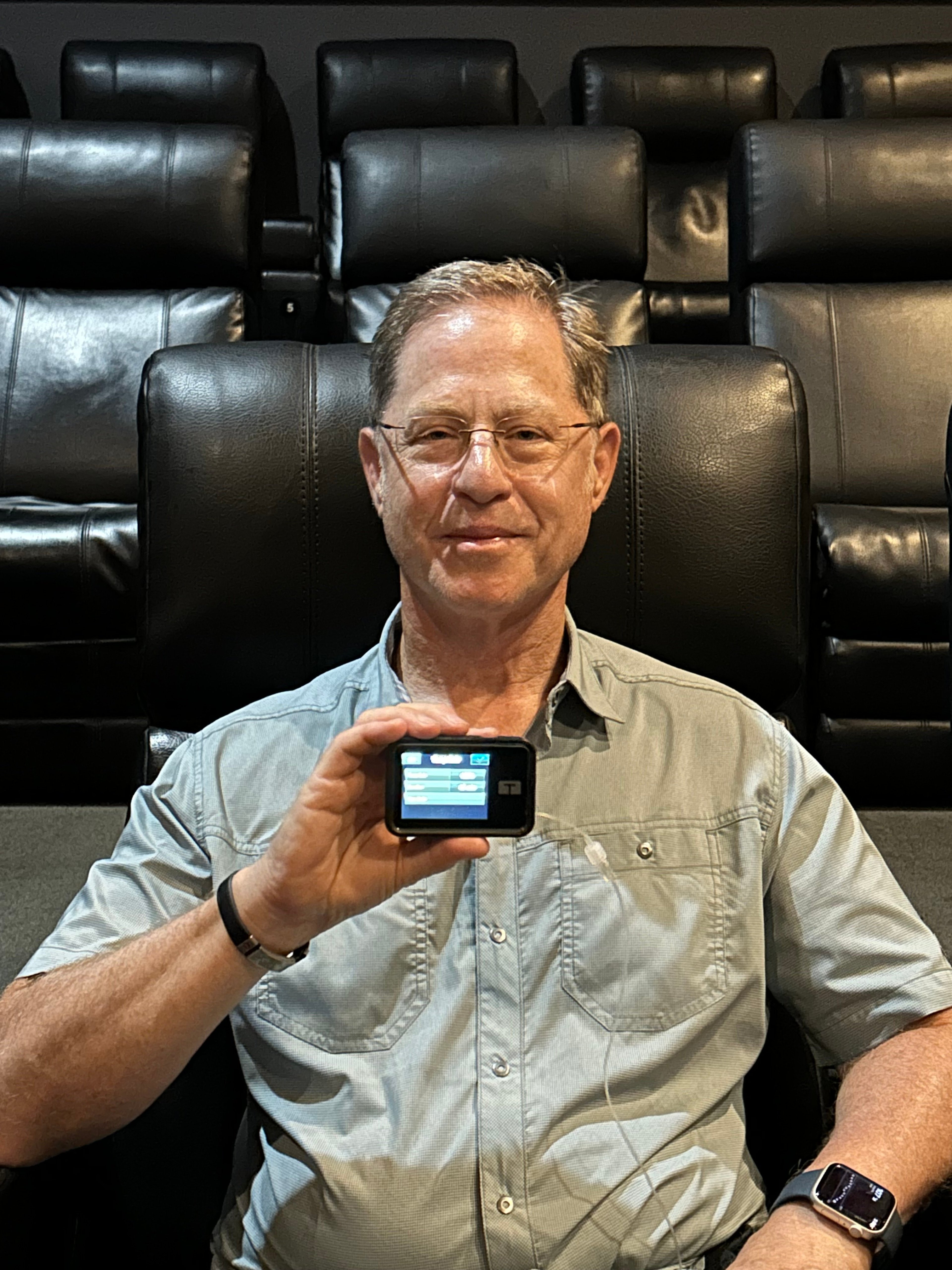
Here’s a sample scenario: You go out for dinner before attending a movie. You order a low-carb meal and deliver an appropriate bolus to cover the carbs to stay in range. But sitting in the theater for two hours after a meal can interfere with how effectively insulin works. What can you do to manage high blood sugar without over-bolusing or stacking insulin during the movie? This is important because the insulin will become activated once you start moving again after the movie. The same applies when on long airplane flights and in many other sedentary situations.
What I found is that increasing the temp basal between 125% and 150% for 30 to 60 minutes can flatten an upward trend in blood sugar and even create a gentle decline back to in-range levels. Keep in mind, you don’t want to increase the temp rate too much or for too long. Trial and error can help you to find the optimal levels, considering variables such as how high your blood sugar is and the difficulty you have in managing it.
Steps to use this technique:
- Speak with your healthcare professional first if you are not comfortable implementing temp rates and advanced Control-IQ+ strategies like this one.
- Ensure your Tandem device is updated and includes Control-IQ+.
- Verify you have the appropriate amount of insulin on board for your blood sugar level.
- Start with a modest temp rate increase (e.g., 125%) for 30 minutes. Observe the results and adjust as needed.
- Be aware that different rates and durations may be needed for different circumstances.
- Combine with physical activity if confronting a particularly difficult high blood sugar, being careful not to overdo the level of activity relative to the amount of insulin on board.
Applying the brakes on dropping sugars
This second technique for “controlling” Control-IQ+ is for the opposite situation – when you have too much insulin on board or your blood sugar is dropping. This involves using exercise mode to reduce or stop basal insulin delivery. Exercise mode targets a higher blood sugar range (140 to 160 mg/dL vs. the standard 112.5 to 160 mg/dL). It’s easy to implement – just activate exercise mode for a specific period of time.
Exercise mode prompts Control-IQ+ to reduce or stop basal delivery without turning off automation. In doing so, it decreases the amount of insulin that otherwise would be delivered.
For example: Your blood sugar is 160 mg/dL and trending downward, and you have excess insulin on board. You’re at risk of going low. Activating exercise mode helps trigger earlier basal insulin reductions. Alternatively, a reduced temp basal rate of less than 100% could be applied. Both approaches will help prevent the pump from delivering more insulin to an impending low blood sugar.
Should I ever disable Control-IQ+?
Yes, there are situations where I turn off Control-IQ+. Specifically, ones where I don’t want auto boluses to be delivered and/or for the basal rate to be increased by Control-IQ+.
Here are a few examples:
- A crowded event, such as a concert, where activity is unpredictable, and when there might be a long walk to leave the venue and get home. In this situation, you may want to run a higher blood sugar and allow your insulin on board to run out.
- When going on a strenuous hike in the wilderness, you might want to intentionally run a higher blood sugar. To achieve this, you would want to prevent an auto bolus or temp rate increase. When using this technique, it is important to remember to turn Control-IQ+ back on when done applying the technique. You can take a bolus and/or apply the increased temp rate technique to get blood sugar back into range. I prefer to have Control-IQ+ on as much as possible, but there are situations where running a higher blood sugar is necessary to avoid going low.
The bottom line
Blood sugar management using the Tandem t:slim X2 pump can be optimized by keeping Control-IQ+ on and leveraging the activity functions to fine-tune or “control” the amount of automated insulin delivery. Updates to the Control-IQ algorithm are somewhat infrequent, so when new features like Control IQ+ are released, it’s an opportunity to assess and apply them to improve your management strategy.
Using the activity features of Control-IQ+ for “immediate-term” adjustments is like having control of the accelerator and brake in a driverless car. Most of the time, you probably don’t need them – but when you do, it is empowering to know they are there and how to use them. Eliminating the need to turn Control-IQ+ off and back on makes these techniques easier and safer to apply. In the end, they help you to get – and stay – in range more quickly than with Control-IQ+ alone.
As always, speak with your healthcare provider before applying these techniques. Make sure that you are fully comfortable with the temp rate and activity features and how they function. Be well, and may your blood sugar always be in range.
Learn more about technology for diabetes management here: